
An e-commerce website for a small business needs clear product pages, delivery costs customers can see before paying, a checkout that works on a phone and a reliable way for staff to fulfil orders and handle returns. Choose the size of the build around your catalogue, shipping and stock. For a shop that also sells in person, work out how the two channels will share stock before designing the site.
Work backwards from your first real order
Choose one representative order and describe every step. A customer finds an item, decides whether it suits them, selects an option, pays and receives a confirmation. Someone at the business then finds the order, checks stock, packs it and tells the customer when it is ready or dispatched. There should also be a clear route for cancellations, returns, damaged items and payment problems.
The Office for National Statistics reported that 29.2% of retail sales by value in Great Britain were online in October 2026. Use your own catalogue, stock and orders to decide what your shop needs at launch.
Compare three ways to sell online
Setup | Suitable for | What to test before launch |
|---|---|---|
Product page with a payment link | A few fixed-price items with simple delivery or collection | The customer sees the right item and total price, and you can match each payment to an order |
Online shop with a catalogue | A ceramics maker or retailer selling multiple items, sizes or colours | An out-of-stock variant can't be ordered, and the basket calculates the right delivery charge |
Shop linked to till or stock software | A retailer selling the same stock online and in person | Sell the last unit at the till and check how quickly the website stops offering it |
Ask providers to demonstrate the row closest to your business with one real product, including its variants and delivery rules. If a catalogue grows, make sure product and order records can be exported. That gives you a starting point if you change platforms later.
Design product pages around buying decisions
Think about the questions a good shop assistant would answer. Show the product, describe the material or specification and make size, colour or compatibility easy to find. For a handmade item, explain any expected differences between pieces. For a made-to-order product, put the lead time near the purchase button. Add photographs that show scale, useful detail and the options someone can actually buy.
Give the catalogue a structure that matches what customers ask for. With a small range, a short collection of product categories and links from relevant pages may be enough. A larger range needs clear filters and predictable naming. Explain what happens when an item is sold out. If there is a real alternative, link to it from the product page.
Google's e-commerce site guidance explains how product information and navigable links help search engines understand a shop. Make product pages easy to reach from categories, and keep the price, stock and product details consistent wherever you describe an item. Check how discontinued products will be handled so customers arriving through search can continue shopping.
Make checkout and delivery predictable
Put the delivery options and expected timing where customers can find them before payment. A local collection order should be easy to distinguish from a shipped order. If a delivery price varies by address, explain when and how it is calculated. Test checkout on a phone, including validation errors, address changes and a declined payment. Then check the confirmation as a customer would see it.
Agree who controls the payment account, who can issue refunds and which email addresses get order notifications. An order might contain personal information, so give each person the access they need for their part of the work. Store delivery and order information through the agreed systems so it can be found by whoever is covering the next shift.
How Elkwood sells a monthly service online
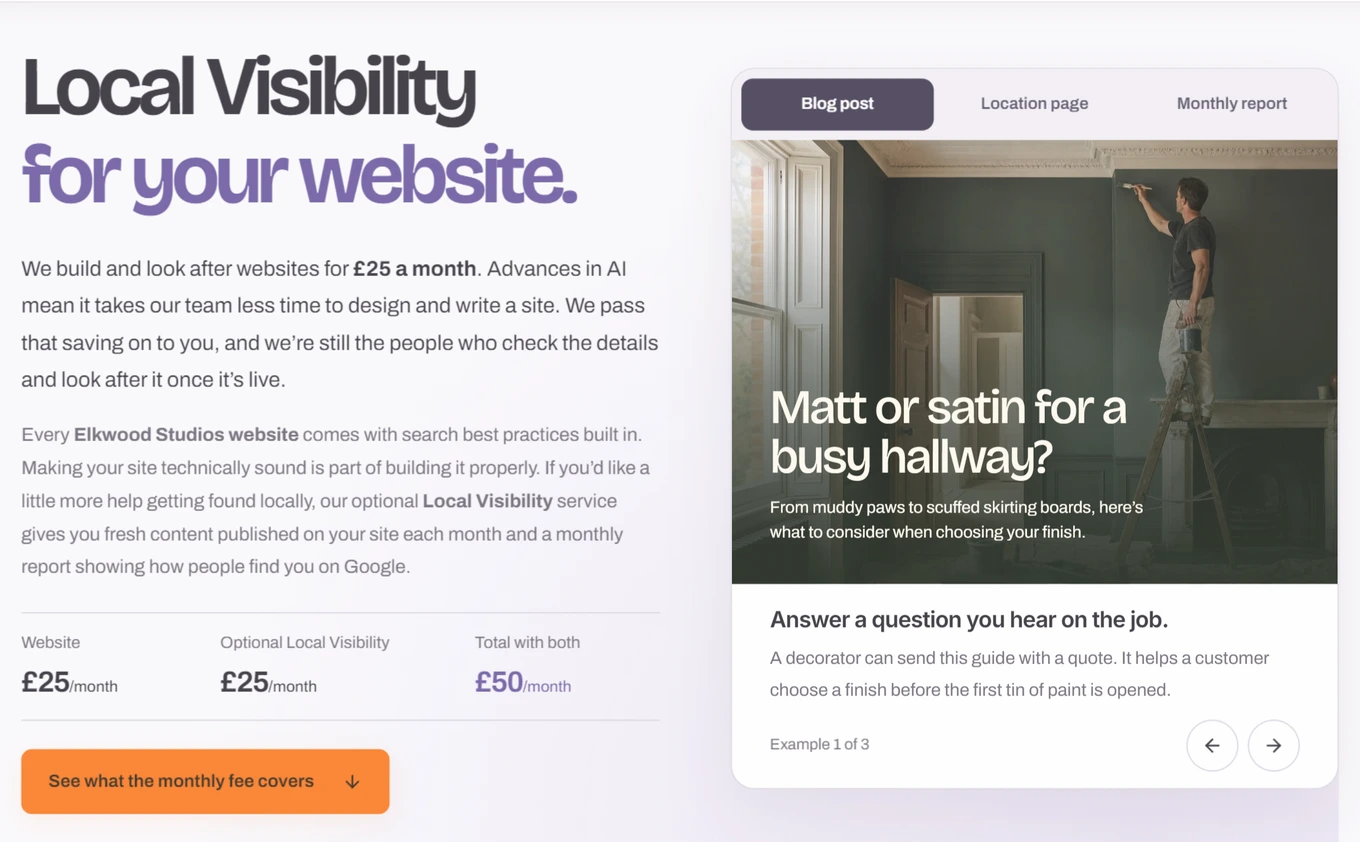
Elkwood’s own Local Visibility service is an example of selling one service at a time. The public page explains what the monthly fee covers and breaks out the optional service from the website plan. Customers can see the price of each and the combined monthly cost before deciding what they need.
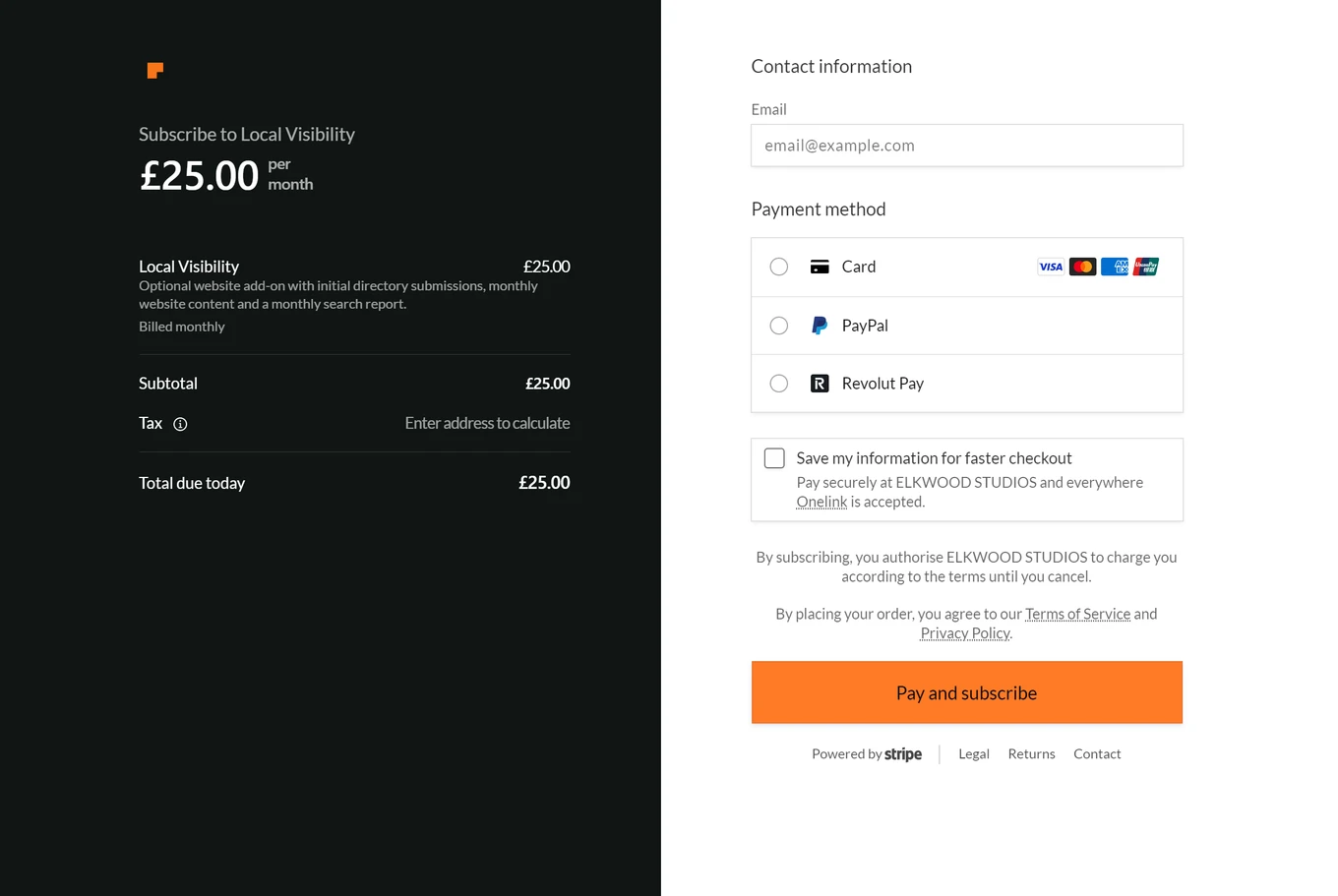
When a customer adds the service through their Elkwood account, the payment step goes to a dedicated Stripe checkout. It repeats the service name and the monthly charge on the same screen as the payment form. The customer can check that they’re subscribing to the service they chose before they enter payment details.
For a small shop, the equivalent might be a fixed-price gift voucher or a single product with one delivery option. Follow the link as a customer and make sure the item, total and any delivery charge are clear before payment. If customers usually buy several products together or select different quantities and variants, test those combinations in a basket before choosing your shop setup.
Choose a model for managing products
A self-managed shop suits a business whose staff want to update products, stock and promotions as part of their day. Ask for a demo of the admin screen and let the person who will use it add a product during the trial. See how it handles image uploads, variants and a stock change. Make sure a second member of staff can do the same work.
A managed shop can suit a business that wants to send a clear list of changes to a team. Agree how to provide product photos, prices and options, how quickly changes are handled, and how urgent stock issues are dealt with. Keep a record of who checks that an update is correct. The retailer still needs a working process for stock, order fulfilment and customer questions. A managed catalogue takes one part of that workload off the business.
Where the existing site works well, ask what would be needed to connect a shop to it. It may be possible to keep the domain and existing pages, so customers can still reach the information they know. If a move is necessary, list the pages that already bring visits and agree how their addresses will be preserved or redirected.
Ask for a price that covers the day-to-day work
Compare quotes for the same starting catalogue and delivery needs. Ask about one-off build work, payment fees, ongoing hosting, catalogue changes and whose time is needed after launch. List any integrations you rely on, including stock tools, bookkeeping or shipping labels. A quote for ten products with one shipping rule should be clear about what happens when the catalogue or delivery model grows.
Set a review date after launch. Look at abandoned baskets, common questions and order mistakes before spending on extra features. Ask the people packing the orders where they lose time. Often the practical next step is a clearer delivery message or a better stock update rather than a visual overhaul.
Before taking orders, give the person running the shop an opportunity to rehearse the workflow. Start with a test payment, hand the order to someone else for packing, then check whether the customer receives a clear update. Run another test for a return and ask where staff would find the original payment. A rehearsal also helps uncover different expectations around stock and who marks an order as fulfilled.
For most UK consumer goods sold online, buyers have 14 days after delivery to tell you they want to cancel. Exceptions include personalised goods and certain perishables. GOV.UK explains the cancellation periods and exceptions. Put the returns information where customers can see it before ordering and make sure the order confirmation tells them how to contact you.
Discuss a managed online shop with Elkwood
Elkwood Studios can discuss adding a managed shop to an Elkwood website, including how you’ll request product updates. In the form below, tell us what you sell, roughly how many products you want to start with, and how you ship or offer collection. We’ll work through checkout, payment ownership and ongoing support with you before agreeing scope.
Read our UK website cost guide to separate the build quote from ongoing costs. If you also sell appointments, our small-business booking guide covers availability, deposits and rescheduling.